Once you have Event Partner access, you can create and manage your own tournaments and leagues in the app.
Who decides who's an Event Partner? VEX and the Global Robotics & Science Foundation define, approve, and certify Event Partners — that's their program, not ours. This documentation is only about the local tournament support and equipment rental that gainingSTEAM provides once you're an Event Partner. To become one, start with Becoming an Event Partner (Global Robotics).
Before you start
- You need an approved organization. Tournaments are filed under one. Until you belong to an approved organization, My Events shows why there is no New Tournament button instead. See Creating or joining an organization.
- Have your VEX Events SKU ready, if your event is already listed there. Entering it pre-fills the form. See Creating your event on VEX Events.
Create it
- Open My Events.
- Click New Tournament.
- Optionally, enter your VEX Events SKU and select Pre-fill from VEX Events. It fills the name, dates, location, team capacity, and competition level where VEX Events has them, and never overwrites what you've typed.
- Fill in the rest of the form and save.
You'll land in the tournament's workspace, ready to plan.
The form fields
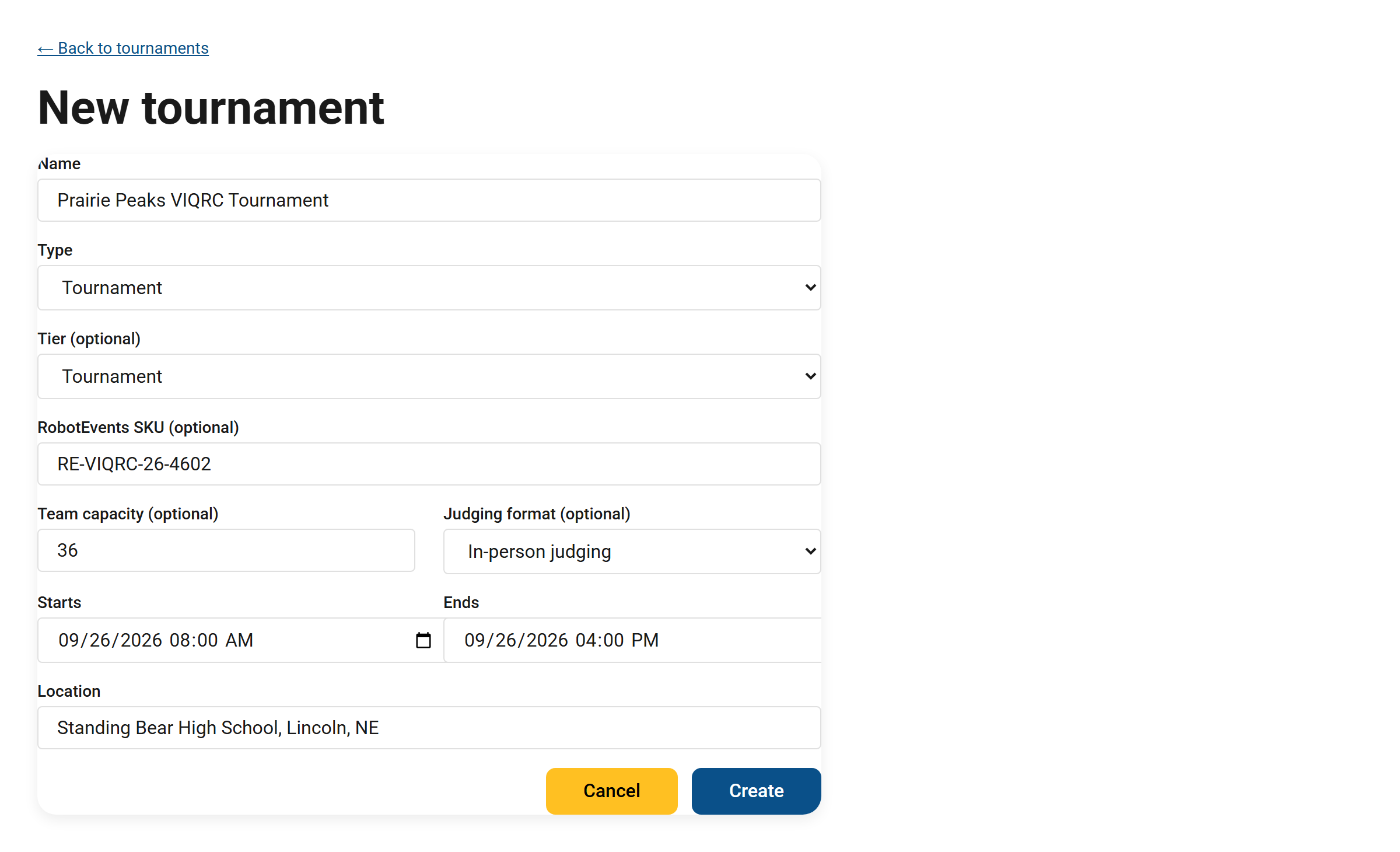
The New Tournament form, filled in for an example event.
- Name (required) — what your event is called.
- Type — Tournament or League Play. (Pick one; you can't change the type after the event is created.)
- Tier (optional but recommended) — State Championship, Signature Event, Tournament, League Play, or Scrimmage. Setting a tier unlocks your planning checklist — see Your tournament planning checklist.
- VEX Events SKU (optional) — your event's code on events.vex.com, e.g.
VE-IQ-26-65738(older events may show theRE-VIQRC-26-4602form). Copy it exactly as VEX Events shows it, including the prefix. - Team capacity (optional) — the maximum number of teams.
- Judging format (optional) — how judging is run.
- Starts / Ends (required) — your event's date and time window.
- Location (required) — the venue.
Two things Event Partners should know
- You can create Tournaments and League Play. Other kinds of events (training sessions, camps, and so on) are set up by the gainingSTEAM team — reach out if you need one.
- Every tournament you create is yours. It's owned by your account, and you manage your own events. You can edit your own tournaments (Edit details on the card), but not another partner's, and ownership can't be reassigned from the app.
Next steps
After you save, take the tournament workspace tour to see everything you can manage for your event.
Still stuck? Email [email protected] and we'll get you sorted.