Every tournament you create has its own workspace — the place where you plan and run the event. Open it with Open workspace on the tournament's card in My Events.
The workspace is organized into areas, and a navigation bar under the event's name takes you between them: Overview, Details, Schedule, Volunteers, and Equipment & invoice. Each area has its own address, so your browser's back button works and you can bookmark or share a link straight to any of them.
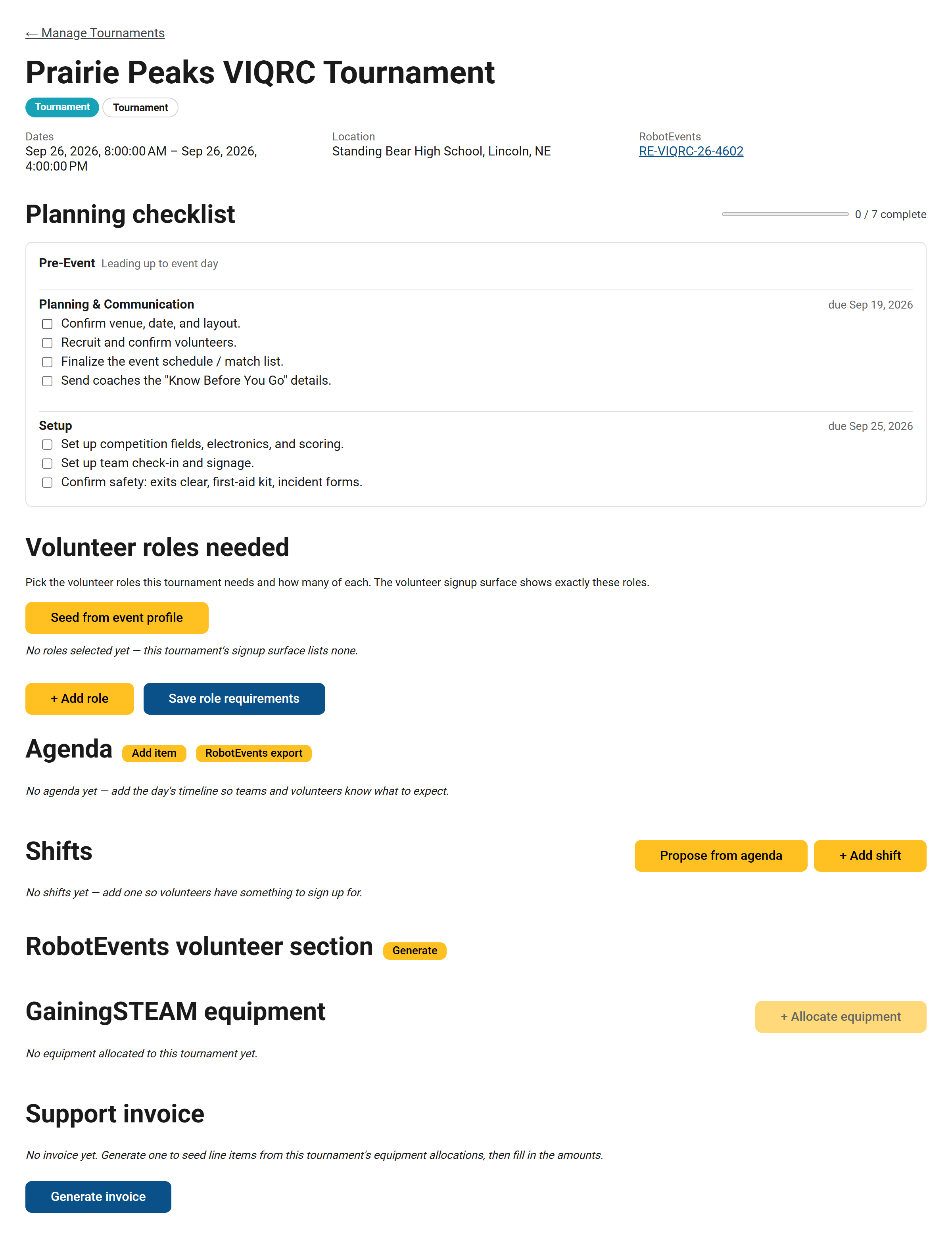
A freshly created tournament's workspace — the event header up top, the area navigation under it, and the Overview area showing the planning checklist.
Overview
The landing area: your planning checklist — a tier-based task plan with due dates, so you always know what's next. It appears once you've set a competition tier on the tournament (there's a link right there to set one if you haven't). See Your tournament planning checklist.
Alongside the checklist you can set the key dates for your event — payment, notebook submission, consent forms, or your own custom deadlines — and we'll send reminders as they approach. See Setting deadlines and reminders.
Details
The tournament's own facts — name, dates, location, tier, capacity, VEX Events code. This is the same form you filled in when creating the tournament; saving brings you back to the Overview.
Schedule
Event days — the days your event actually runs, each with its own hours — and the agenda, the day-of schedule. Days come first: agenda items (and volunteer shifts) hang off them. You can also generate shifts directly from agenda items.
Running a multi-session league? Build one session's agenda, then use Copy to day… on that day's heading to stamp it onto your other sessions — times carry over, and every copied item stays editable for session-specific tweaks.
Volunteers
Everything volunteer-facing in one place:
- Role requirements — say how many volunteers you need in each role. This drives the volunteer messaging for your event.
- Volunteer blurb — generate a ready-to-paste "Volunteer" content block for your event's page on events.vex.com.
- Shifts — create shifts and staff them: assign volunteers or let them sign up. See Scheduling volunteers with shifts.
Equipment & invoice
Equipment and invoicing are handled with the gainingSTEAM team. See Getting equipment and invoices for your event.
Not seeing the checklist? That's expected until you set a competition tier on the tournament.
Still stuck? Email [email protected] and we'll get you sorted.